Outcome
26%
in usability (measured by SUS going from 57 to 72)
48%
in weekly searches after one week of implementation
Problem
Incomprehensible agent action logs contributed to longer agent troubleshooting times, thereby creating compliance risk
Agent action is a record of changes made to agents. They are recorded because each change could affect the way agents behave. So when an agent behaves unexpectedly, these actions help track which change introduced a bug and undo it.
The first version of agent actions (also called logs) were hard to understand which made it longer to troubleshoot agents, thereby creating compliance risk…
UX Audit
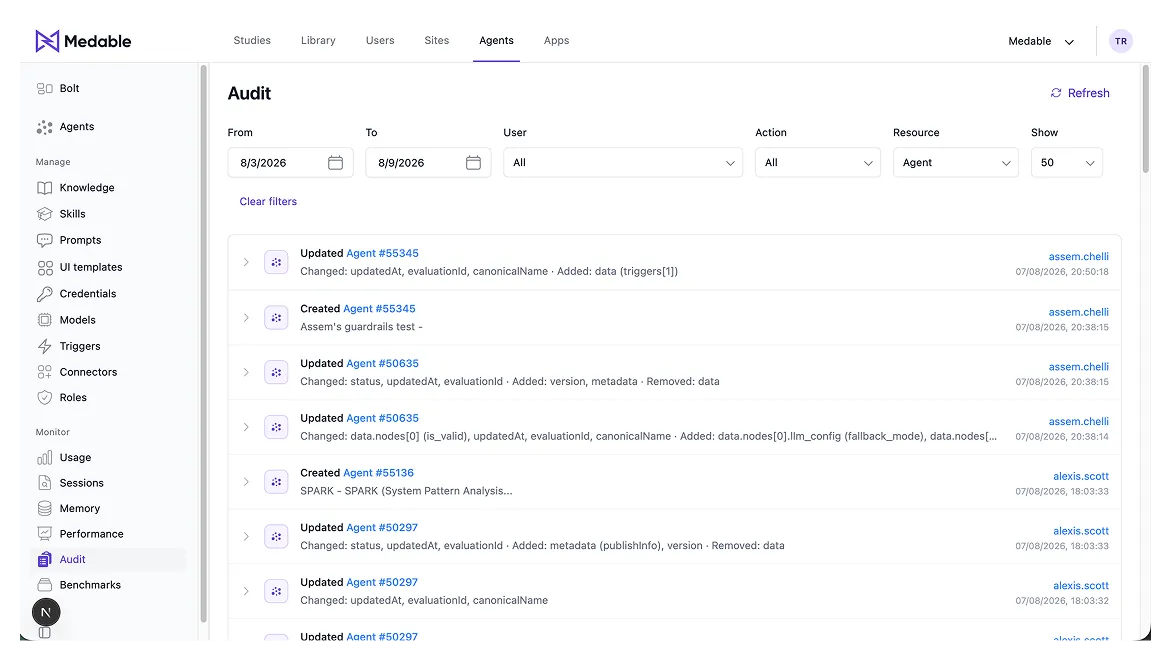
I conducted an UX audit of the current implementation, finding the following issues…
- All agent actions (create, update, delete) looked the same visually, making it hard to scan for a particular action type.
- The agent names used database IDs instead of human readable names given by the user.
- The list also included database actions due to the backend architecture, causing confusion.
- Expanding each action log covered the whole screen, making it difficult to view and compare the content of adjacent logs.
- Search and agent filters looked and worked differently. Not directly related to agent logs but it made the experience inconsistent and the blue bar took unnecessary space.
- Page was set to automatic search, wasting user's time because they had to wait for the previous search to finish first before initiating the search they want.
User insights
I conducted contextual enquiry with 5 internal users (all engineers) to understand how they search agent logs while troubleshooting. My insights -
- They locate agent logs by timestamps
- They look for the action type, usually update actions
- They skim for data before expanding for more details, usually to see version change
- They frequently compare with adjacent logs because a log can be broken into multiple database actions
I also got them to fill the SUS questionnaire along with it to benchmark the current usability - 55.
Key decisions
Based on the research, I decided the new design should…
Solution
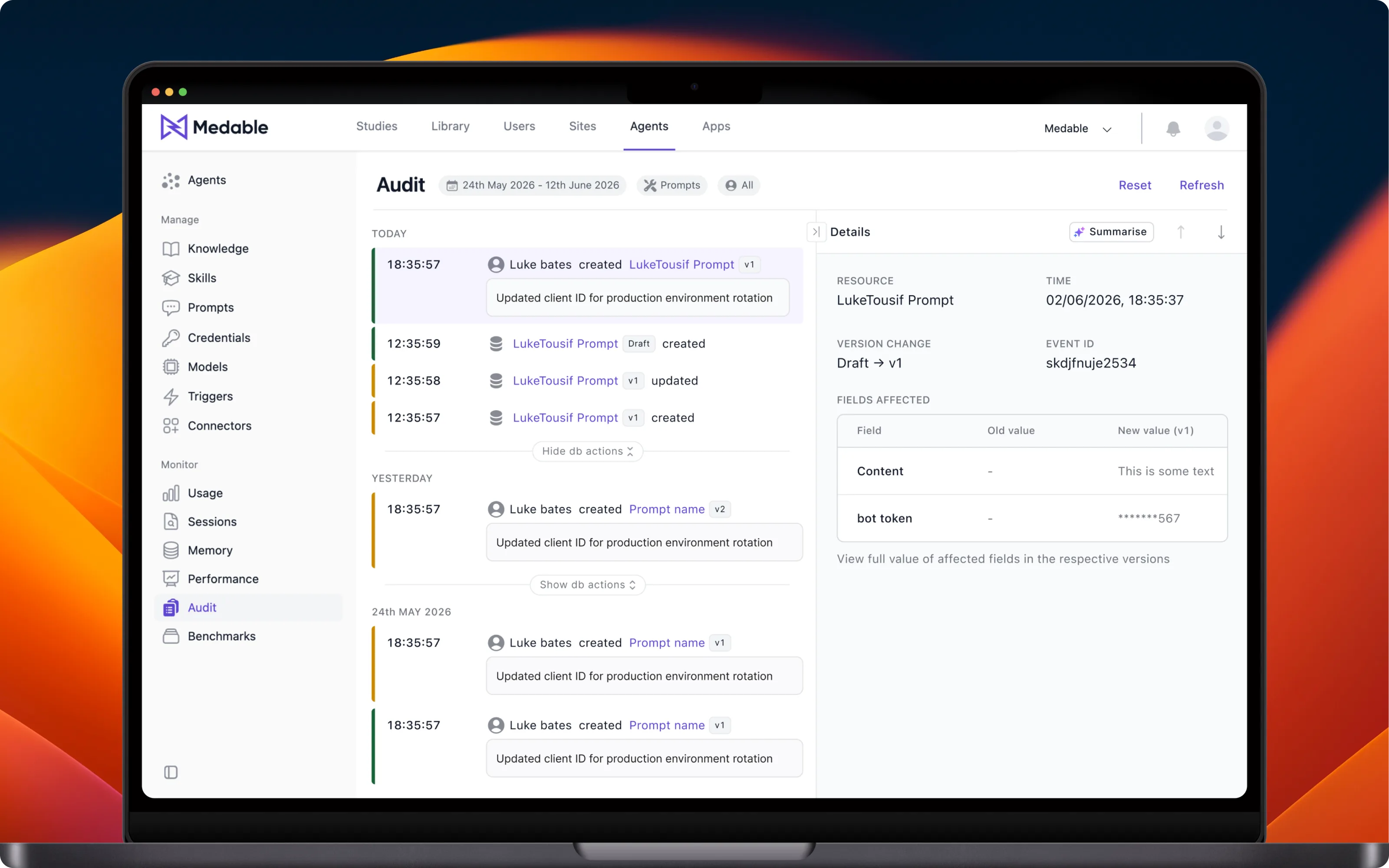
I redesigned the entire agent logs module, from initiating search to visualising database logs differently, to make agent actions easier to follow. The SUS for the new design came to 72.
Scannable logs
Leading with timestamps and action type to easily locate the right agent log. This allows user to avoid other information until they’ve found the log they’re interested in.

Accomodate more logs on screen for comparison
Side panel makes it easier to compare action logs without excessive scrolling. And AI summarisation helps make data changes more human-readable.
Handle visual noise of database actions
Database logs created by the backend cannot be eliminated due to regulatory reasons. But they still cluttered the list and confused users. So I decided to visually differentiate them from agent logs and hide them. This way, it doesn’t clutter the list while still available to users when they want it.
Consistent filtering experience
Filters applied during and after search look and work consistently, so that user doesn’t have to learn new ways to do the same thing.
Reflections
Next time, in addition to SUS, I would also measure an objective metric for benchmarking design improvement — for example, the time taken to find a log.
Also, since the workflow predominantly focuses on auditing one agent at a time, for the next iteration I’m going to propose a flow that can be initiated from the agent itself, so we can save the user the trip to the audit page and back. Something like this: